
Design process · Rivy
I Tried to Use AI to Design for Our Users. Here's What Actually Worked.
I'm a senior product designer at Rivy. Over the past few months, I've been on an honest, messy, sometimes humbling journey trying to figure out how to make AI genuinely useful in our design process. This is that story — fumbles, dead ends, and all.
By Isaiah Adeleke · June 2026
I want to be upfront about something before I start: I'm not writing this from a position of having figured it all out. I'm writing it because I spent months trying things that didn't work, eventually landed on things that did, and I think that full picture is more useful to you than a clean success story with all the rough edges trimmed off.
At Rivy, I've been the one pushing to embed AI into our design workflow. Not because it's trendy, but because we're doing a significant UX redesign, and the scope of the work is bigger than the bandwidth we have. There are two of us on the design side — myself and another product designer — and something had to give. AI felt like the right place to look for leverage.
What I found was more complicated than I expected — and more interesting.
The problem we were actually trying to solve
Our users at Rivy aren't a homogeneous group. We serve people across a pretty wide spectrum of digital familiarity — from users who navigate apps with complete confidence, to users who are doing this kind of thing seriously for the first time. That mix is common in the markets we operate in, but it creates a genuinely hard design challenge: something that feels intuitive to one end of your user base can feel completely foreign to the other.
Good UX for Rivy means designing for both. And doing that well, consistently, across dozens of flows and screens — without the bandwidth to run user research on every single iteration — is exactly the kind of problem I thought AI could help with.
What I didn't anticipate was how much groundwork I'd have to lay before the AI could actually be useful.
The experiments that flopped — and why I'm glad I ran them
Let me save you some time by walking through the things I tried that didn't work. Not to be discouraging, but because knowing where AI currently falls short is genuinely useful information.
My first instinct was to close the loop between Claude Code and our actual design system. I connected Rivy's Figma design system to Claude Code via the Figma MCP — which, technically, worked. The connection was live. Claude Code could see our components, our tokens, our documented patterns. Then I asked it to generate a design system markdown file so that anything Claude Code produced would stay in sync with what we'd already built in Figma.
It generated the file. It looked thorough. And then when Claude Code actually started producing design outputs, they were... wrong. Not catastrophically, but enough that they weren't usable. The spacing was off. Components were being used in ways that didn't match how we'd defined them. The AI had read the design system; it just hadn't really understood it in the way a designer would.
Attempt 01 · Partial
Claude Code + Figma MCP
Generated a design system .md file — but outputs still drifted from our actual system. Could read it; couldn't truly apply it.
Attempt 02 · Flopped
Claude Design
Fed our full design system to Claude Design. The results didn't match our direction. Not close enough to be usable.
Attempt 03 · Worst result
Google AI Studio
Generated designs completely disconnected from our design system. Entirely the wrong aesthetic direction.
When Claude Design launched, I tried that too — fed it our design system, ran the same experiment. The outputs were more visually coherent, but still not where we needed them to be. Not our aesthetic, not our component logic. And then I tried Google AI Studio for design generation. That was the worst of the three — the outputs had no relationship to our design system at all. Wrong everything.
The AI had read the design system. It just hadn't really understood it in the way a designer would.
After all of that, I arrived at a conclusion I think is worth stating plainly: AI is not yet at the point where it can reliably generate production-ready UI designs that stay faithful to an established design system. At least not with the tools available right now, and not for our level of specificity. If someone tells you otherwise, ask to see the outputs.
That conclusion sounds like a dead end. It wasn't. It actually forced me toward something more useful.
The pivot: improve the process, not the output
Once I accepted that AI wasn't going to generate our UI for us, I stopped asking it to. Instead, I asked a different question: where in the design process can AI actually reduce friction and accelerate good decision-making?
That reframe changed everything.
The place I started was auditing. I connected Claude Code to our Figma files through the Figma MCP and used it to run structured audits of our existing flows. This worked. Claude can scan a design, cross-reference it against documented criteria, and flag inconsistencies, accessibility gaps, and structural issues at a speed no human auditor can match. It's not creative — it's analytical. And analytical is exactly what you want from an auditor.
But I still had the context problem. The audit results were technically valid but not anchored to our actual users. Claude didn't know that "clear" means something different for a first-time digital user than it does for someone who's been using apps for a decade. Without that grounding, the suggestions were generic.
Building the thing that made everything else work
To fix the context problem, I built what I now call a UX audit skill — a structured, persistent set of guidelines that lives alongside our AI tooling and defines exactly how to evaluate designs for Rivy's specific user spectrum.
It's not just a list of accessibility rules. It's a design philosophy, encoded: how much visual explanation does a UI element need before a non-digitally-trained user can confidently use it? When does an icon alone work, and when does it need a text label? What makes an error message actually helpful versus technically correct but useless? How do you design for trust when your user isn't sure yet whether to trust the product?
What the skill encodes
Design rules for both ends of the spectrum
Guidelines that define "good UX" specifically for digitally confident users and digitally new users — not generic best practices.
Why it works better than a prompt
Consistent across every session
A one-off prompt drifts. A codified skill stays anchored regardless of who's running the session or what else is in the conversation.
Building this skill required something I couldn't outsource to the AI: I had to talk to real users. I spoke with a focused group of Rivy users — particularly those on the less digitally familiar end of our spectrum — to identify what was causing friction and what felt clear. These weren't exhaustive research sessions; they were directional conversations. But they gave me the human ground truth that the AI needed to stop being generic.
Once the skill was built and those conversations were encoded into it, the quality of Claude's audit outputs changed significantly. Now when I run a flow through it, the suggestions are actually about our users — not a hypothetical composite user from a design textbook.
What the workflow looks like now
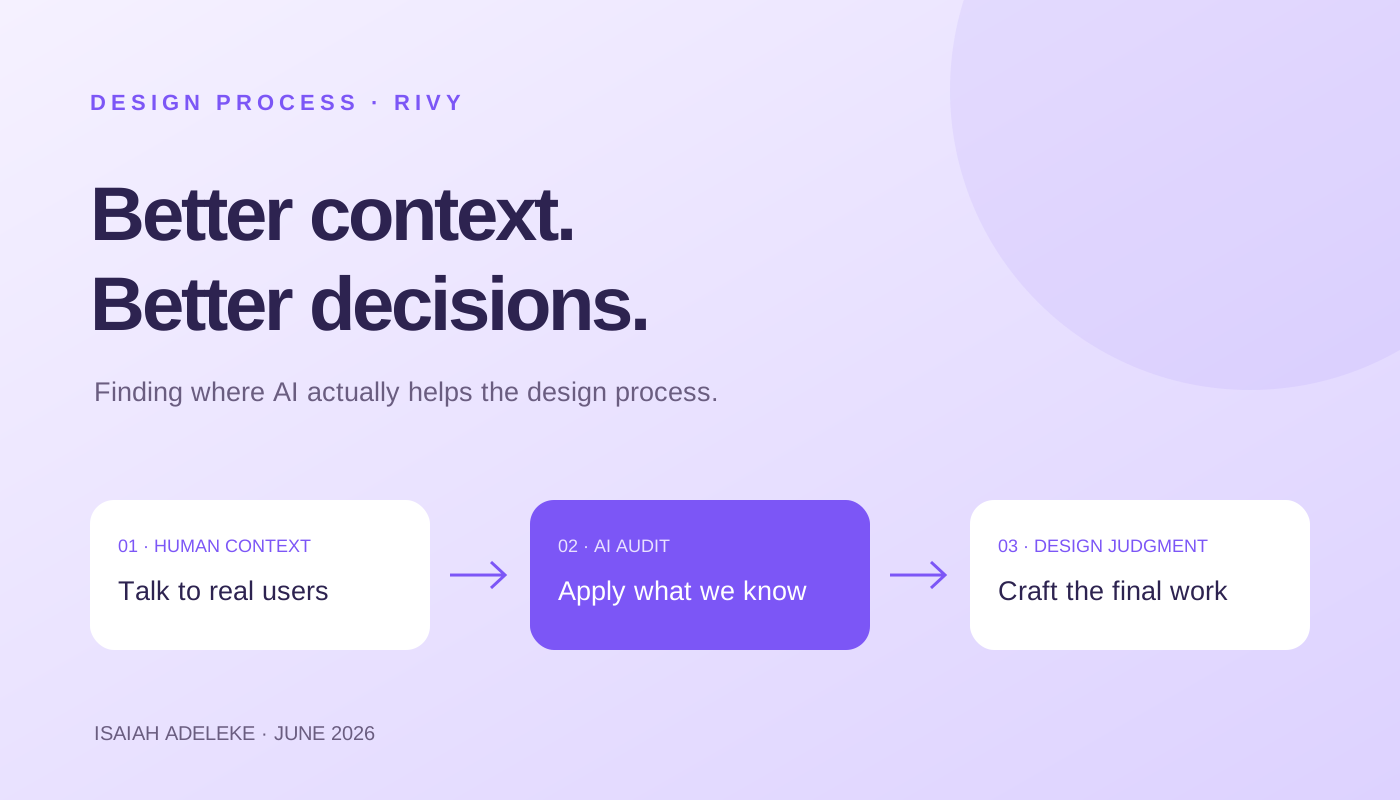
Here's the loop I'm running today: I take an existing screen or a new flow design, run it through the UX audit skill with Claude, and get back a structured critique — what's working, what's likely to confuse users at either end of our spectrum, and specific suggestions for what to change. Claude also generates rough mockups of what an improved version might look like.
Those mockups don't go anywhere near production. They go to Figma, where we take the concepts and build the actual polished designs — applying craft, visual judgment, and the specificity that only comes from knowing the product deeply. What Claude gives us is a thinking partner that does the analytical heavy lifting on the first pass. We bring the rest.
The honest result: iterations that used to take several days because of the review-feedback-revise cycle now happen in a fraction of the time. We're not waiting on review sessions to find out if a direction is worth pursuing. The AI surfaces the obvious problems early, and we spend our energy on the decisions that actually require design judgment.
What Claude gives us is a thinking partner that does the analytical heavy lifting on the first pass. We bring the rest.
The other thing that's working: rapid prototypes for internal tools
Separately from the redesign work, I've also been building internal tooling at Rivy. And here, I found a completely different AI use case that's been genuinely valuable.
The old way of getting stakeholder feedback on a new internal tool: design the user flows, build out the proper designs, create a prototype, then schedule time to demo it. All of that before anyone important has even reacted to the core idea. Days of work before you know if you're going in the right direction.
Now I use Google AI Studio — not for generating production UI designs, which as I said doesn't work — but for generating functional prototypes quickly enough to get feedback the same day. It's rough. It doesn't match our design system. But it's good enough to put in front of stakeholders and ask: does this concept make sense? Is this solving the right problem? Those are questions you can answer from a rough prototype. You don't need a polished design for that conversation.
The time savings in that validation loop have changed how I approach new internal tools entirely. I'm getting directional feedback before committing to real design work, which means fewer wasted iterations downstream.
The honest caveat
This only works because we know exactly when the rough prototype has served its purpose. The risk is letting it linger — using a quick AI prototype as a substitute for proper UX rather than a stepping stone toward it. The speed is only an advantage when you're moving in the right direction.
What I actually learned from all of this
The fumbles were frustrating at the time, but I don't regret them. Trying to get AI to generate designs that matched our design system taught me something specific and important: AI is not at the point where it can replace the visual and systems judgment that goes into translating a design system into actual screens. That's a concrete, useful piece of knowledge — not a vague feeling.
What AI is genuinely good at, right now, in a design workflow: structured analysis, consistent application of documented criteria, fast generation of rough directional concepts, and compressing the time between "I have an idea" and "I have something to react to." Those are real capabilities. They're just not the same as design.
Takeaways — applicable beyond Rivy
- Know what AI can't do yet. It cannot reliably generate designs that stay faithful to a specific design system. Don't spend months finding this out the slow way — now you know.
- Use AI to improve your process, not to replace your output. The audit loop, the rapid prototype for validation — these augment the design work. They don't substitute for it.
- The context problem is real and requires human input to solve. You have to talk to your users. The AI can then scale and apply that knowledge — but it can't generate it from nothing.
- Build skills, not prompts. Encode your knowledge into something persistent. A one-off prompt drifts; a codified skill stays consistent across sessions and over time.
- Different tools for different jobs. Claude Code and the Figma MCP for auditing. AI Studio for rapid prototyping. Don't expect one tool to do all of it well — it won't.
I'm still in the middle of this. The redesign is ongoing, the skill is still being refined, and I keep discovering new edges of where AI helps and where it doesn't. That's kind of the point — it's not a setup-and-forget system. It's a working practice.
But our small design team is doing more thoughtful work in less time than we were six months ago. For a two-person team carrying a significant workload, that matters a lot.
If any of this resonates with what you're trying to figure out at your own company, I'd genuinely love to compare notes.
— Isaiah Adeleke, Senior Product Designer at Rivy. Questions about the UX audit skill, designing for mixed-literacy users, or any of the tools mentioned? Find me and let's talk.